

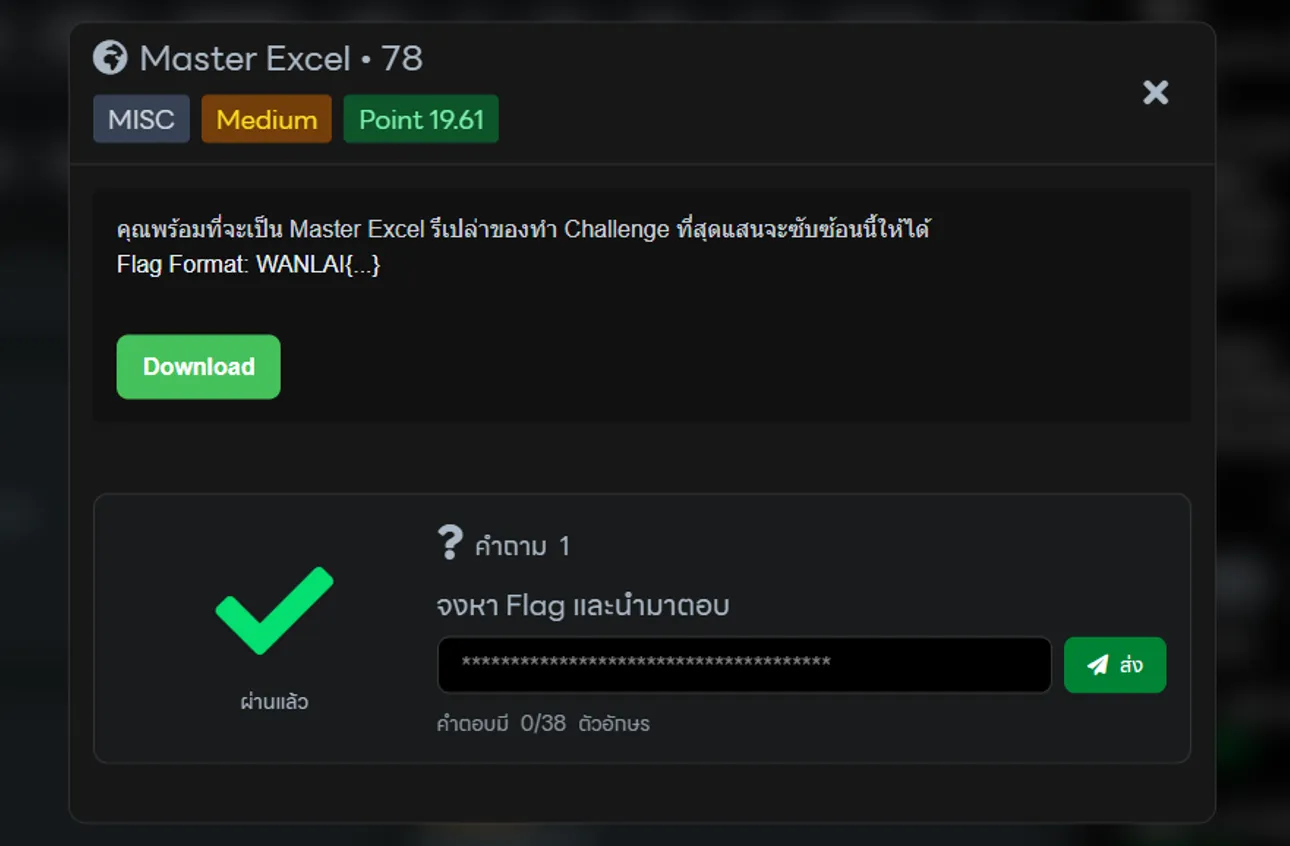
โจทย์นี้จะมาพร้อมกับไฟล์ wanlai_excel.xlsm
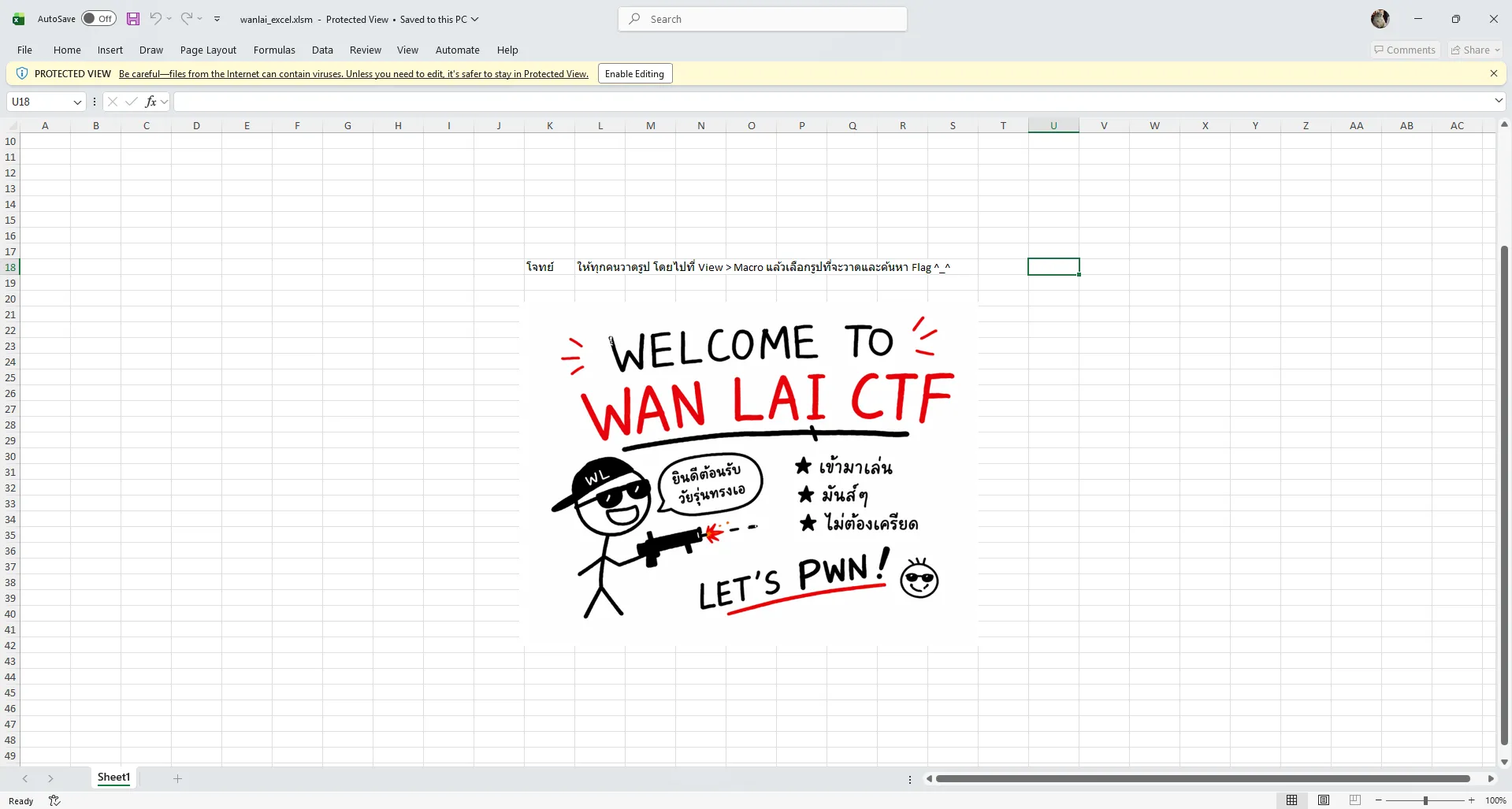
มีข้อความใน Excel แสดงว่า โจทย์ ให้ทุกคนวาดรูป โดยไปที่ View > Macro แล้วเลือกรูปที่จะวาดและค้นหา Flag ^_^ งั้นก็ทำตามที่โจทย์บอกกันดีกว่า
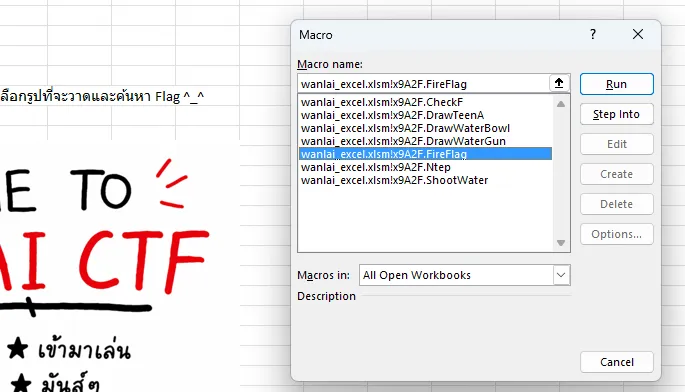
เจอ FireFlag ด้วย ลองกดรันดู
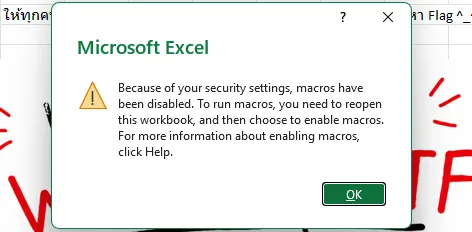
พบว่ามันจะกดรันไม่ได้ต้องไปปลดล็อคมันก่อน
- ไปที่ไฟล์ในโฟลเดอร์ คลิกขวาที่ไฟล์ wanlai_excel.xlsm เลือก Properties
- ที่แท็บ General ด้านล่างสุด ถ้าเห็นคำว่า Unblock ให้ติ๊กถูกแล้วกด OK
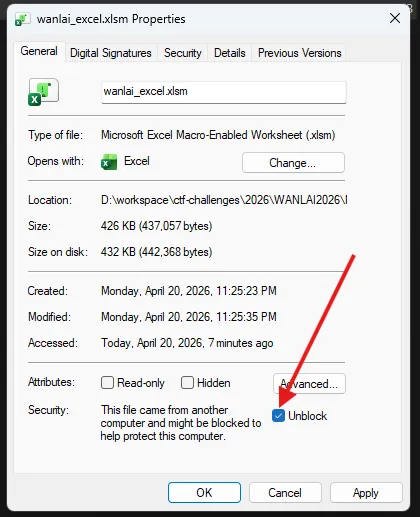
- เปิดไฟล์ขึ้นมาใหม่ คราวนี้จะมีแถบสีเหลืองด้านบนเขียนว่า “Enable Content” ให้กดปุ่มนั้นครับ
จากนั้นทำการเข้าไปที่ View > Macro ใหม่อีกครั้ง
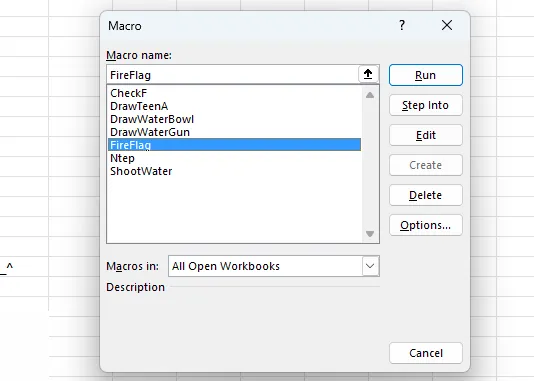
ลองกด RUN แล้วพบกับ ERROR
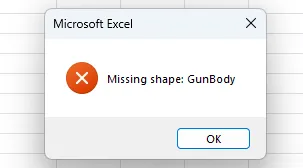
แต่รอบนี้มีปุ่ม Edit ที่เราสามารถกดได้ งั้นลองกดดู
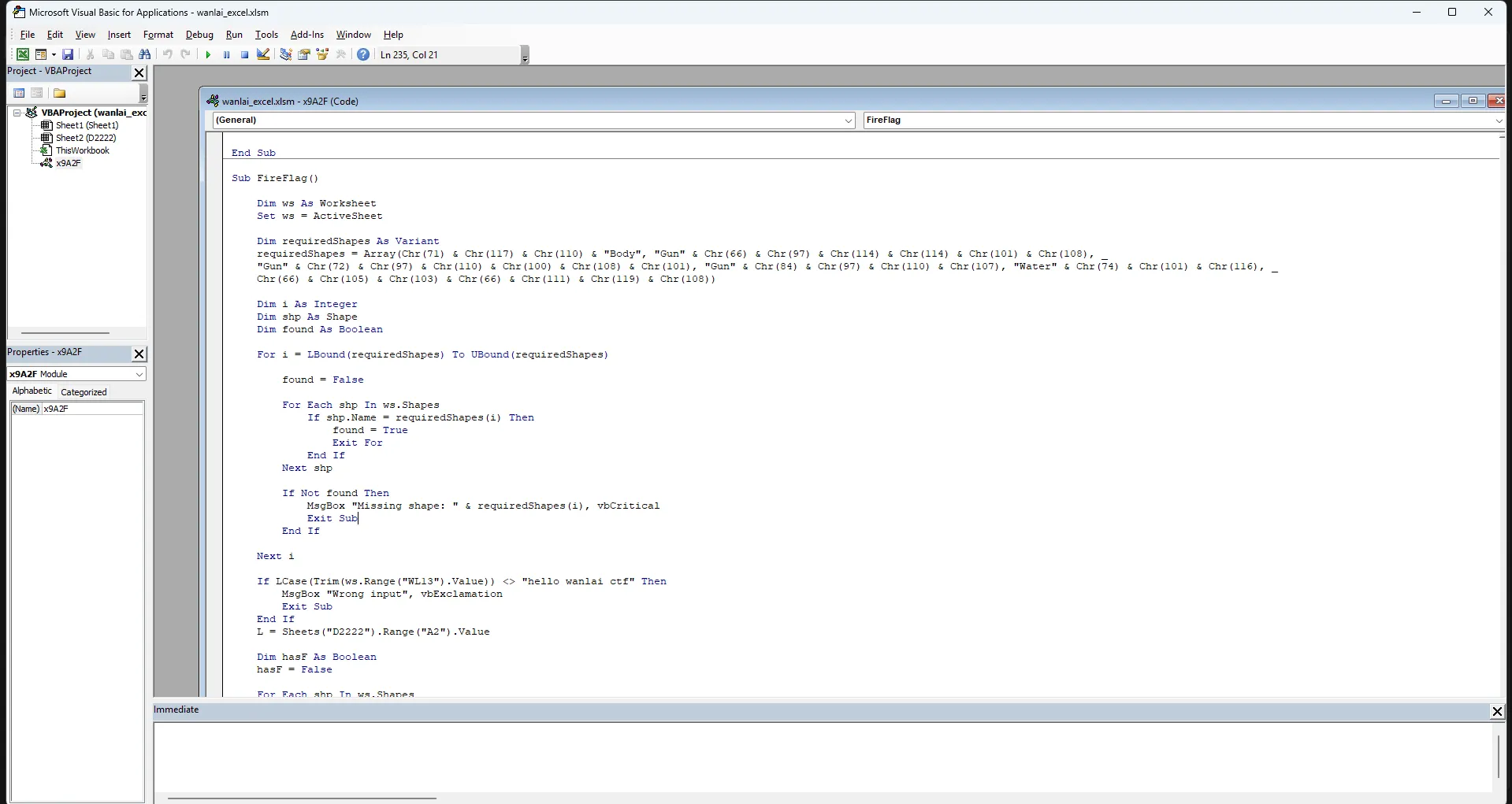
ซึ่งเราจะเจอกับหน้าต่าง VBA Editor กับ Code
Sub FireFlag()
Dim ws As Worksheet Set ws = ActiveSheet
Dim requiredShapes As Variant requiredShapes = Array(Chr(71) & Chr(117) & Chr(110) & "Body", "Gun" & Chr(66) & Chr(97) & Chr(114) & Chr(114) & Chr(101) & Chr(108), _ "Gun" & Chr(72) & Chr(97) & Chr(110) & Chr(100) & Chr(108) & Chr(101), "Gun" & Chr(84) & Chr(97) & Chr(110) & Chr(107), "Water" & Chr(74) & Chr(101) & Chr(116), _ Chr(66) & Chr(105) & Chr(103) & Chr(66) & Chr(111) & Chr(119) & Chr(108))
Dim i As Integer Dim shp As Shape Dim found As Boolean
For i = LBound(requiredShapes) To UBound(requiredShapes)
found = False
For Each shp In ws.Shapes If shp.Name = requiredShapes(i) Then found = True Exit For End If Next shp
If Not found Then MsgBox "Missing shape: " & requiredShapes(i), vbCritical Exit Sub End If
Next i
If LCase(Trim(ws.Range("WL13").Value)) <> "hello wanlai ctf" Then MsgBox "Wrong input", vbExclamation Exit Sub End If L = Sheets("D2222").Range("A2").Value
Dim hasF As Boolean hasF = False
For Each shp In ws.Shapes If shp.Name = "Head" Or _ shp.Name = "Hair" Or _ shp.Name = "Body" Or _ shp.Name = "Leg" Then
hasF = True Exit For End If Next shp
Call ShootWater
On Error Resume Next ws.Shapes("AG").Delete On Error GoTo 0 k = Sheets("D2222").Cells(1, 1).Value Dim ag As Shape Set ag = ws.Shapes.AddTextbox( _ msoTextOrientationHorizontal, _ ws.Range("J2").Left, _ ws.Range("J2").Top, _ 320, 50)
ag.Name = "AG"
If hasF Then ag.TextFrame.Characters.Text = k ag.Fill.ForeColor.RGB = RGB(120, 0, 0) ag.TextFrame.Characters.Font.Color = RGB(255, 200, 200)
Else ag.TextFrame.Characters.Text = L
ag.Fill.ForeColor.RGB = RGB(0, 0, 0) ag.TextFrame.Characters.Font.Color = RGB(0, 255, 0) End If
ag.TextFrame.Characters.Font.Size = 16
Dim stepY As Integer For stepY = 1 To 2 ag.Top = ag.Top - 5 DoEvents Application.Wait Now + TimeValue("00:00:01") Next stepY
End Subวิเคราะห์ Code
- Macro เช็คว่าในหน้า Excel ของคุณมีรูปภาพหรือ Object ที่ชื่อว่า
GunBody,GunBarrel,GunHandle,GunTank,WaterJet,BigBowlไหม - คุณต้องไปที่ Cell WL13 แล้วพิมพ์ว่า hello wanlai ctf (ตัวพิมพ์เล็กทั้งหมด)
If LCase(Trim(ws.Range("WL13").Value)) <> "hello wanlai ctf" Then- ผมเจอตัวแปลก ๆ อะไรสักอย่าง
L = Sheets("D2222").Range("A2").Valueงั้นลองอ่านมันดูเลยละกัน ตัวแปลแปลก ๆ นั้น
โดยทำการกด Ctrl + G ในหน้าต่างของ VBA Editor
แล้วของใส่ Sheets("D2222").Range("A2").Value ลงไป
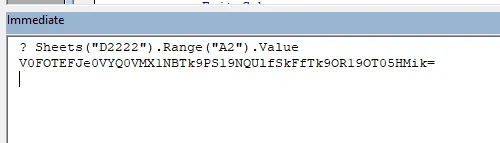
จะพบกับข้อความที่เป็น Base64 งั้นเรามาถอดรหัสกันเลยดีกว่า
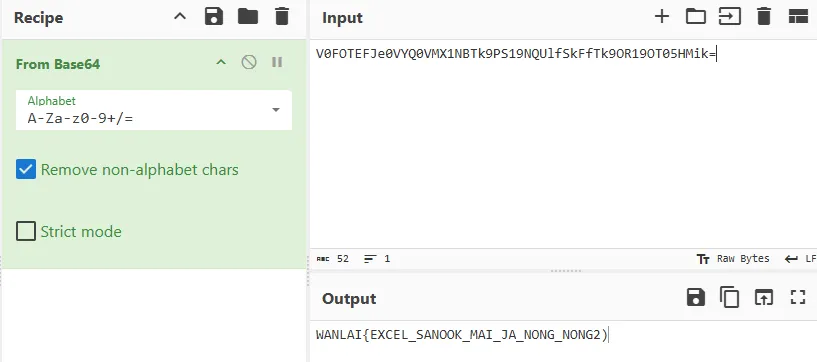
ได้ Flag แล้ว
WANLAI{EXCEL_SANOOK_MAI_JA_NONG_NONG2)