

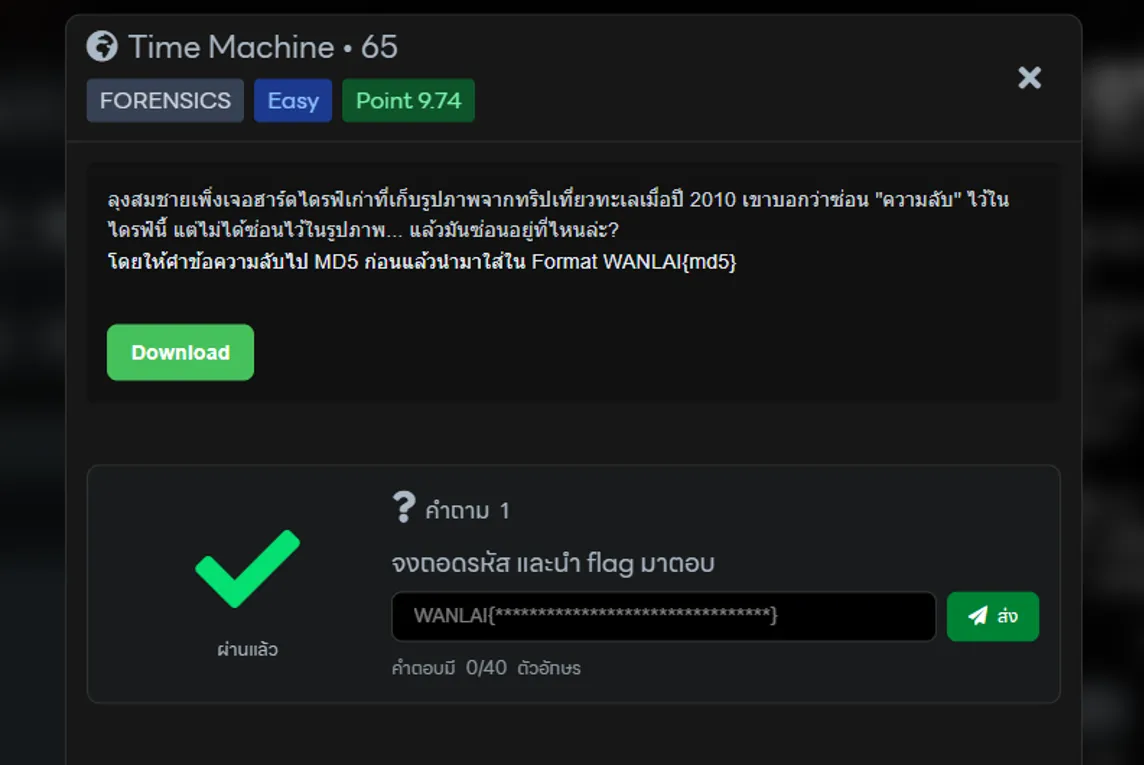
โจทย์นี้จะให้ไฟล์ timebox.img มา
$ file timebox.imgtimebox.img: Linux rev 1.0 ext4 filesystem data, UUID=d27ba4c9-25f6-47cf-bbfe-eca0a7b10b67, volume name "timebox" (extents) (64bit) (large files) (huge files)ซึ่งมันคือมันคือ disk image หรือ (ไฟล์จำลองฮาร์ดดิสก์)
จากนั้นเราจะทำการ mount (ทำให้มัน “เหมือนเสียบ USB”)
[/]$ sudo mount -o loop timebox.img mnt
[/mnt]$ cd ./mnt
[/mnt]$ tree ..├── lost+found  [error opening dir]├── photos│   ├── trip_01.png│   ├── trip_02.png│   ├── trip_03.png│   ├── trip_04.png│   ├── trip_05.png│   ├── trip_06.png│   ├── trip_07.png│   ├── trip_08.png│   ├── trip_09.png│   ├── trip_10.png│   ├── trip_11.png│   ├── trip_12.png│   ├── trip_13.png│   ├── trip_14.png│   ├── trip_15.png│   └── trip_16.png└── README.txt
3 directories, 17 files
เมื่อเราทำการ mount เสร็จสิ้นจากนั้น ทำการตรวจสอบไฟล์ที่ได้จะพบว่ามีไฟล์ README.txt และไฟล์รูปในโฟลเดอร์ photos
ลองอ่านข้อมูลของ README.txt หน่อย
$ cat README.txtรูปภาพจากทริปเที่ยวทะเลตราด กรกฎาคม 2010ถ่ายโดย: สมชาย"ความทรงจำที่ดีที่สุดซ่อนอยู่ในเวลา"เหมือนนี้จะคือคำใบ้นะ หรือว่าให้ดูเวลากันนะ งั้นก็ลองละกัน
$ stat trip_01.png File: trip_01.png Size: 443480 Blocks: 872 IO Block: 4096 regular fileDevice: 7,0 Inode: 13 Links: 1Access: (0777/-rwxrwxrwx) Uid: ( 0/ root) Gid: ( 0/ root)Access: 2010-07-15 10:01:55.000000000 +0700Modify: 2010-07-15 10:01:55.000000000 +0700Change: 2026-03-26 20:23:01.200412109 +0700 Birth: 2026-03-26 20:23:01.188226723 +0700อืม… ลองรูปที่ 2 อีกที
$ stat trip_02.png File: trip_02.png Size: 126195 Blocks: 248 IO Block: 4096 regular fileDevice: 7,0 Inode: 14 Links: 1Access: (0777/-rwxrwxrwx) Uid: ( 0/ root) Gid: ( 0/ root)Access: 2010-07-15 10:00:51.000000000 +0700Modify: 2010-07-15 10:00:51.000000000 +0700Change: 2026-03-26 20:23:01.208535699 +0700 Birth: 2026-03-26 20:23:01.204473904 +0700ข้อนี้ต้องวิเคราห์นานหน่อย แล้วจะพบเวลา(วินาที)
$ stat trip_01.png  File: trip_01.png  Size: 443480          Blocks: 872        IO Block: 4096   regular fileDevice: 7,0     Inode: 13          Links: 1Access: (0777/-rwxrwxrwx)  Uid: (    0/    root)   Gid: (    0/    root)Access: 2010-07-15 10:01:55.000000000 +0700Modify: 2010-07-15 10:01:55.000000000 +0700 -> ASCII (115s) To Text(s)Change: 2026-03-26 20:23:01.200412109 +0700 Birth: 2026-03-26 20:23:01.188226723 +0700
 $ stat trip_02.png  File: trip_02.png  Size: 126195          Blocks: 248        IO Block: 4096   regular fileDevice: 7,0     Inode: 14          Links: 1Access: (0777/-rwxrwxrwx)  Uid: (    0/    root)   Gid: (    0/    root)Access: 2010-07-15 10:00:51.000000000 +0700Modify: 2010-07-15 10:00:51.000000000 +0700 -> ASCII (51s) To Text(3)Change: 2026-03-26 20:23:01.208535699 +0700 Birth: 2026-03-26 20:23:01.204473904 +0700
งั้นก็อ่านทั้งหมดเลยแล้วกัน แล้วทำการแปลง ASCII ทีละไฟล์
$ for f in trip_*.png; do  stat -c "%n %y" "$f"done
trip_01.png 2010-07-15 10:01:55.000000000 +0700 -> 115 ('s')trip_02.png 2010-07-15 10:00:51.000000000 +0700 -> 51 ('3')trip_03.png 2010-07-15 10:01:39.000000000 +0700 -> 99 ('c')trip_04.png 2010-07-15 10:01:54.000000000 +0700 -> 114 ('r')trip_05.png 2010-07-15 10:00:51.000000000 +0700 -> 51 ('3')trip_06.png 2010-07-15 10:01:56.000000000 +0700 -> 116 ('t')trip_07.png 2010-07-15 10:01:35.000000000 +0700 -> 95 ('_')trip_08.png 2010-07-15 10:01:56.000000000 +0700 -> 116 ('t')trip_09.png 2010-07-15 10:00:49.000000000 +0700 -> 49 ('1')trip_10.png 2010-07-15 10:01:49.000000000 +0700 -> 109 ('m')trip_11.png 2010-07-15 10:00:51.000000000 +0700 -> 51 ('3')trip_12.png 2010-07-15 10:01:55.000000000 +0700 -> 115 ('s')trip_13.png 2010-07-15 10:01:56.000000000 +0700 -> 116 ('t')trip_14.png 2010-07-15 10:00:52.000000000 +0700 -> 52 ('4')trip_15.png 2010-07-15 10:01:49.000000000 +0700 -> 109 ('m')trip_16.png 2010-07-15 10:01:52.000000000 +0700 -> 112 ('p')
เมื่อทำการรวมคำแต่ละไฟล์ จะได้ข้อความ:
s3cr3t_t1m3st4mpจากนั้นทำการแปลงเป็น MD5() โดย CyberChef ก็ได้คำตอบของ flag แล้ว
WANLAI{68ae339568e32b805f1e07420a00071f}